Featured Technology · Web Development
Custom Software vs. Ready-Made Software: What Is Right for Your Growing Business?
Should your business use ready-made software or invest in a custom application? Compare costs, flexibility, integrations, maintenance, and real-world use cases to choose the right solution for your growing business.
Custom Software vs. Ready-Made Software: What Is Right for Your Growing Business?
When a business starts growing, its technology requirements often change.
A spreadsheet that worked for three employees may become difficult to manage with thirty. A basic customer management tool may no longer support your sales process. An off-the-shelf application might offer dozens of features, yet still fail to handle the one workflow your team depends on every day.
At this point, business owners often face an important decision: should they continue using ready-made software, or invest in a custom solution?
The answer isn't always obvious.
The best software isn't necessarily the most powerful or the most expensive. It's the software that solves your business problems without introducing unnecessary complexity.
In this guide, we'll explore the differences between custom and ready-made software, when each option makes sense, and how to make a decision that supports your long-term business goals.
What Is Ready-Made Software?
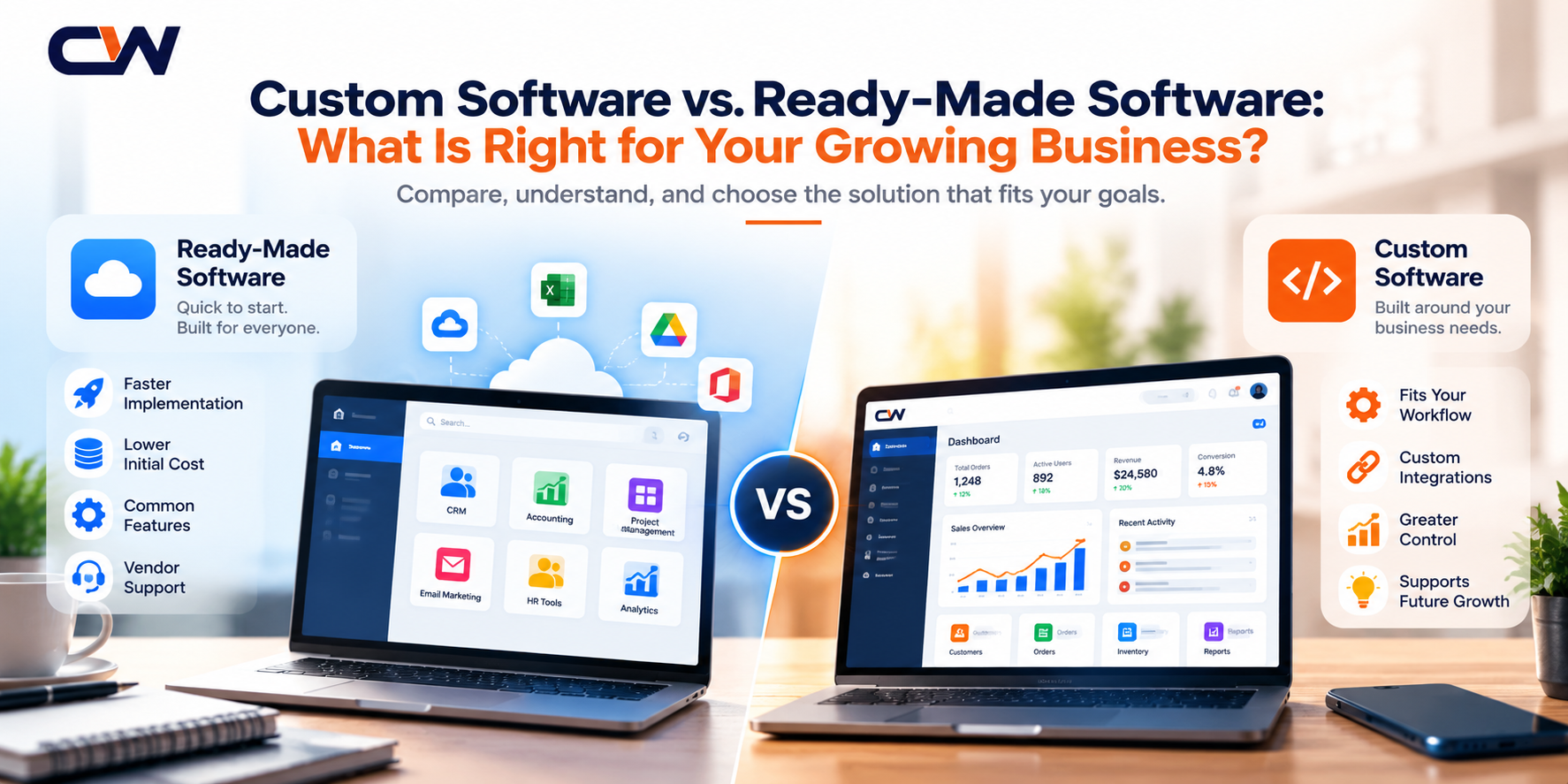
Ready-made software is developed for a broad audience and designed to support common business requirements.
Examples include accounting applications, project management tools, customer relationship management platforms, email marketing software, and inventory management systems.
Businesses can generally subscribe to or purchase these products without developing an application from the ground up.
Advantages of ready-made software
Faster implementation: Many products can be configured and used relatively quickly.
Lower initial investment: You typically avoid the cost of designing and building an entire application.
Existing features: Common requirements such as user management, reporting, notifications, and integrations may already be available.
Vendor support: Depending on the product and subscription, documentation, updates, and technical support may be included.
Where ready-made software can fall short
Problems arise when your business processes don't fit the product's capabilities.
You might need to maintain separate spreadsheets, transfer information between applications, pay for features you rarely use, or change your workflow to accommodate software limitations.
Integrations and customization may also introduce additional costs.
Ready-made software is an excellent choice when its capabilities closely match your needs. The challenge is recognizing when the mismatch becomes too expensive or disruptive.
What Is Custom Software Development?
Custom software is designed and developed around specific business requirements.
Rather than adapting your entire operation to an existing product, you build an application that supports the workflows, users, integrations, and business rules that matter to you.
For example, a growing distribution company might need an application that connects inventory, order processing, delivery scheduling, customer accounts, and operational reporting.
If existing products cannot support that workflow effectively, a custom application may provide a better fit.
Advantages of custom software
Fits your workflow: Features can be designed around your actual operational processes.
Greater control: You can influence the product's functionality, architecture, integrations, and future development.
Purpose-built integrations: The application can exchange information with your existing systems through suitable APIs and other integration methods.
Room for differentiation: If your business relies on a unique process, custom software can help turn that process into a practical digital capability.
What should you consider before building?
Custom development requires more planning than purchasing an existing application.
You need to consider development costs, project timelines, testing, security, hosting, maintenance, documentation, and future enhancements.
Your organization must also decide who will manage the software after launch.
Building a custom application does not automatically make it more secure, scalable, or cost-effective. Those outcomes depend on implementation quality and ongoing maintenance.
Custom Software vs. Ready-Made Software: A Practical Comparison
1. Initial cost
Ready-made products usually require less initial investment because the core application already exists.
Custom software requires an upfront investment in requirements, design, development, and testing.
However, subscription fees, paid add-ons, integration expenses, and manual work should also be considered when evaluating the long-term cost of ready-made software.
2. Time to launch
Ready-made software is generally quicker to deploy when your requirements match its existing capabilities.
Custom software takes longer because the application must be planned, built, and validated.
A focused first version can reduce the time required to deliver value without attempting to build every possible feature at once.
3. Flexibility
Ready-made products offer the flexibility their vendors support through configuration, extensions, and integrations.
Custom applications can accommodate more specific workflows, although every additional feature still requires design, implementation, testing, and maintenance.
4. Integrations
An existing product may already connect to your accounting, marketing, or customer management systems.
Custom applications can be designed around your integration requirements, but the availability, quality, and limitations of third-party APIs still matter.
5. Maintenance and ownership
Ready-made software generally receives updates from its vendor, subject to its product and subscription terms.
With custom software, responsibility for updates, infrastructure, security, bug fixes, and enhancements must be clearly assigned.
Also, clarify source-code ownership, intellectual property, hosting access, and vendor handover terms before beginning a project.
Five Signs Your Business May Need Custom Software
Not every business needs a custom application. However, the following situations are worth examining.
1. Your team repeatedly performs manual work
Employees may spend hours transferring data, preparing reports, checking records, or updating multiple systems.
Before building a new application, identify which steps can be eliminated, automated, or handled by integrating your existing tools.
If the workflow remains difficult to support with available products, custom software may be appropriate.
2. Your current tools don't communicate effectively
Your sales team might use one application, your operations team another, and your finance team a third.
If information must be copied manually between them, errors and delays can become difficult to avoid.
An integration project or a centralized application may help establish a more consistent flow of information.
3. Your business has unique operational rules
Some businesses have specialized approval processes, pricing rules, scheduling requirements, or customer workflows.
If these requirements are central to your operations and existing products cannot accommodate them effectively, a custom solution deserves consideration.
4. Your subscription and integration costs keep increasing
As a company grows, it may add users, premium features, third-party integrations, and separate tools for different teams.
Review the total cost of your current software environment before deciding whether to replace any part of it.
Custom development is worthwhile only when the expected benefits justify the build and maintenance costs.
5. You want to create a digital product of your own
If you plan to launch a customer portal, industry-specific platform, subscription service, or specialized mobile application, an off-the-shelf product may not provide the control or differentiation you need.
A custom-built product can give you more control over its user experience and business logic, provided you have a clear product strategy.
The Third Option: Combine Existing Tools with Custom Development
Choosing between ready-made and custom software doesn't have to be an all-or-nothing decision.
In many cases, a hybrid approach is more practical.
For example, a company could continue using its existing accounting software while developing a custom customer portal that connects to it through an API.
Another business might retain its current CRM but automate enquiry assignment, notifications, and reporting around it.
This approach can preserve useful investments while addressing the specific problems that existing tools cannot solve.
Before replacing an entire system, investigate whether a focused integration or a small custom application could deliver the improvement you need.
How to Decide: A Simple Six-Step Framework
Before investing in a software project, work through these steps.
Step 1: Identify the problem.
Describe the task, delay, error, or limitation you want to eliminate. Avoid starting with a long feature list.
Step 2: Measure the current process.
Estimate the time spent, frequency of errors, operational costs, and impact on customers.
Step 3: Evaluate existing solutions.
Compare suitable products, configuration options, integrations, and realistic workarounds.
Step 4: Calculate the total cost.
Consider subscriptions, implementation, integrations, training, maintenance, infrastructure, and internal effort over an appropriate period.
Step 5: Define a minimum viable solution.
Identify the smallest set of capabilities needed to solve the primary problem. Leave lower-priority features for later.
Step 6: Test before expanding.
Validate the solution with actual users, measure the results against your baseline, and make further investments based on evidence.
This process helps keep the decision focused on business value rather than technology trends.
How CycloneWebz Can Help
At CycloneWebz, we help businesses turn ideas and operational challenges into practical digital solutions.
Our work includes website development, custom web applications, mobile applications, backend systems, API integrations, and AI-powered applications.
Whether you need a new application or want to improve an existing system, the first step is understanding your requirements and identifying the most suitable approach.
We can help you explore the possibilities, define a focused scope, and plan a solution around your users and business objectives.
Visit [CycloneWebz](https://www.cyclonewebz.com/) to explore our services and discuss your next digital project.
Final Thoughts
Ready-made software can be an excellent choice when it meets your needs without unnecessary complexity.
Custom software can make sense when your workflows, integrations, or product goals require capabilities that existing tools cannot provide effectively.
And sometimes, the best solution is simply to connect the tools you already use.
Don't build software just because you can. Build it because it solves a meaningful problem.
Let's hear your perspective
If your business could improve one process with technology, what would you choose: reducing manual work, connecting existing systems, improving customer experience, or building a completely new digital product?
Think about the problem first. The right software decision becomes much easier once you understand what you need to improve.